


BurlingtonEnglish
4.4214.00 Reviews
App Specs
- Version
- 1.0
- Updated On
- License
- Free
- Downloads
- 1,000,000+
- Developer
- Burlington Education Ltd.
- Categories
- Education
- Platform
- Android
Screenshots
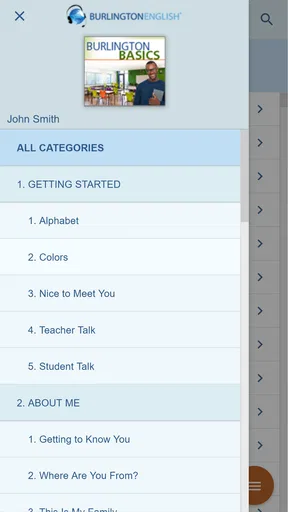
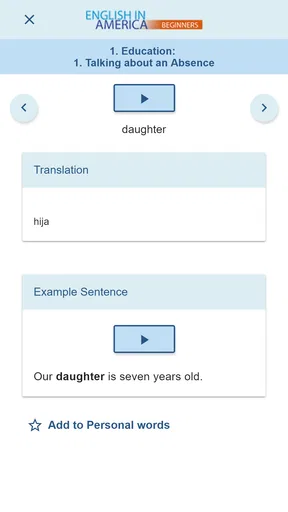
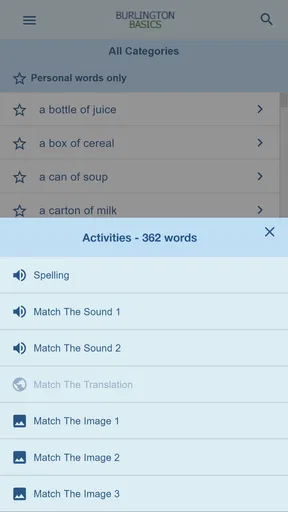
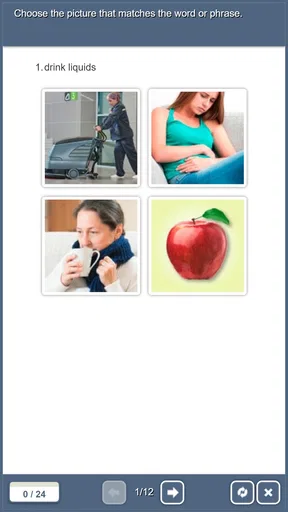
 Analysis by AppCompare
I found BurlingtonEnglish most useful when I stopped treating it like a general language app and started viewing it as an entrance to a structured English-learning program. That distinction matters. It is an Education app from Burlington Education Ltd., available free of charge, and its main purpose is to connect learners with the BurlingtonEnglish approach rather than simply offer a collection of isolated vocabulary games.
My overall impression is positive, especially for learners who want a clear route into English study and prefer lessons that feel organized. The app has a broad audience: its content rating is Everyone, it runs on devices using Android 6.0 or later, and it has passed the one-million-install mark. At the same time, it is not automatically the best fit for every learner. People who want a completely open-ended practice tool, instant explanations for every mistake, or a highly playful experience may find the surrounding learning structure more important than the app itself.
How BurlingtonEnglish feels to use day to day
I find the day-to-day experience easier to judge when I treat each visit as one step in a course, rather than expecting a quick burst of entertainment or a complete lesson in every spare minute. That small shift helps me decide when to settle in, what to note for later, and when another resource would serve me better. Next, it is worth looking at how that program-shaped approach plays out in an ordinary study session.
Readability and navigation come before decoration
When I use an education app regularly, I care less about visual novelty and more about whether I can understand what to do next. BurlingtonEnglish makes more sense when approached as a doorway into a planned course. The useful question is not simply, “What game can I start?” but, “Which part of my English learning path should I open now?” That mindset helps reduce random tapping and encourages a more deliberate routine.
The app’s identity is straightforward: it is connected to the BurlingtonEnglish language-learning program, so the experience is more program-oriented than the usual vocabulary app. That can be a strength for learners who become lost among endless topic lists. A defined learning route gives a beginner a better chance of building consistency, particularly when studying after work or during a short break.
I would still recommend taking a few minutes at the beginning to understand the navigation rather than rushing into a lesson. In a structured learning product, the order of activities can matter. If you jump between sections without knowing how they relate, you may remember individual words while missing the larger purpose of the course. My practical tip is to choose one regular study point in the app and return to it each time, instead of opening whatever looks most attractive.
Text-based learning also benefits from a calm screen. Learners who struggle with crowded interfaces may appreciate a program that keeps attention on the lesson rather than filling every space with competing rewards. However, readability is not only about font size. It also depends on the learner’s language level, the complexity of instructions, and whether the next action is obvious. Someone with limited English may need extra patience while interpreting directions, even if the screen itself is visually clear.
Worth Reading Before You Choose

EA SPORTS FC Mobile 26 Is a Bigger Football Game, but It Takes Time

Flipboard Shows What News Apps Must Do Beyond the Feed

Switching to Android Auto Means Rethinking Your Driving Routine

Google Calendar Makes a Crowded Week Easier to Manage

Ludo King Makes the Most of the Minutes Between Plans

Baby Panda World Brings Quick Play to Modern Phones, but Its Game Library Feels Busy
For that reason, I would use BurlingtonEnglish alongside a notebook or a simple digital note. Writing down unfamiliar expressions, the reason an answer was wrong, and one personal example makes the app easier to follow over several sessions. This is especially useful for learners who cannot rely on memory alone to connect a new phrase with its meaning.
Different abilities need different kinds of support
From an inclusive point of view, the important question is whether a learner can comfortably see, hear, touch, and understand the material. BurlingtonEnglish is most approachable for people who can use a conventional phone interface and follow language-learning instructions at their current level. The Everyone age rating also makes it suitable for a wide range of learners in principle, including families and adult students, although age suitability does not guarantee that every activity will suit every ability.
For learners with visual fatigue, I would avoid long sessions and use short study blocks. A phone screen can become tiring even when the lesson is valuable, so increasing the device’s system text size where possible, reducing glare, and studying in good light are sensible habits. These adjustments happen at the device level rather than being a special promise about the app, but they can make a real difference to whether practice remains comfortable.
Learners with motor difficulties may find repeated tapping or precise selection more demanding than the language itself. A useful workaround is to use the app when the phone is supported on a table rather than held in one hand. That reduces accidental movement and leaves the other hand free for notes. If a family member, tutor, or teacher is helping, they can also assist with navigation while the learner concentrates on the English task.
Audio-related learning deserves a realistic approach. English practice often benefits from hearing words and phrases, but not every learner can process sound easily, and noisy places make listening harder for almost everyone. I would choose a quiet setting when working on pronunciation or listening, and switch to reading and written review when that is more comfortable. A learner who depends entirely on clear visual alternatives should test the app personally before committing to it as a primary tool.
People with dyslexia, attention differences, or slower processing may benefit from repeating a small section rather than trying to complete a long sequence in one sitting. The most effective routine is often not the fastest one. I found that pausing to say a phrase aloud, copy it once, and use it in a personal sentence creates a stronger learning loop than simply moving forward after recognizing the answer.
Situational access: where it fits into real routines
The strongest everyday use case is a learner with a predictable but busy schedule. Imagine someone commuting, working a shift, and trying to improve English for daily communication. They may not have the energy for a long textbook session each night. BurlingtonEnglish can serve as the starting point for a repeatable routine: open the program at a planned time, work through a manageable piece, record difficult language, and return later for review.
I would not recommend relying on it only in rushed moments. A crowded bus, a loud break room, or a dim bedroom may be convenient, but those conditions are not equally good for reading, listening, or concentrating. A better plan is to separate tasks by setting. Use a quiet place for new material, a short waiting period for reviewing notes, and a stable desk setup for activities that require more attention.
This separation is one of the more useful ways to make a structured language app inclusive. A learner does not need to complete every kind of practice in the same environment. Someone with hearing sensitivity can reserve listening work for a calm room. Someone with limited hand movement can use a stand and larger device controls. Someone who loses focus easily can make the goal one small activity rather than an undefined promise to “study English.”
The app can also be useful for learners who need English connected to a broader goal, such as handling everyday conversations, understanding instructions, or becoming more confident in a workplace setting. I would keep a personal list of situations that cause difficulty and look for ways to connect the lesson language to them. For example, after studying a phrase, I might write a version I could use when asking for clarification or speaking to a colleague. That turns recognition into practical preparation.
Parents and tutors should remember that access is not the same as independence. A young learner may be allowed to use an Everyone-rated app but still need help understanding what a lesson expects. A new English learner may need a bilingual explanation outside the app before the activity becomes meaningful. The program is more effective when the surrounding support matches the learner’s needs.
Where it differs from familiar alternatives
Compared with flashcard apps, BurlingtonEnglish feels less like a quick memory drill and more like part of a guided course. Flashcards are excellent when I already know what I need to review and want rapid repetition. They are less helpful when I need a sense of progression or a reason for learning a phrase. BurlingtonEnglish is the better direction for someone who wants a program-shaped experience rather than an endless deck of words.
Compared with conversation-focused apps, it may appeal more to learners who want a controlled environment before speaking with other people. Conversation services can provide valuable spontaneity, but they can also feel intimidating, especially for beginners or people who process spoken language slowly. BurlingtonEnglish offers a more private starting point. The trade-off is that a structured app should not be mistaken for a complete replacement for real conversation.
Compared with a traditional textbook, the app is easier to carry and easier to fit into short sessions. A book can still be better for learners who prefer to annotate heavily, scan several pages at once, or avoid screen fatigue. I would choose the app for guided digital practice and keep a physical notebook or book for deeper reference. These tools solve different problems rather than competing directly.
It also differs from purely game-based language products. If motivation comes mainly from points, streaks, characters, or rapid rewards, BurlingtonEnglish may feel restrained. That is not necessarily a weakness; some learners find constant gamification distracting. But people who need visible entertainment to maintain attention should try it before making it their only learning tool.
Remaining barriers that affect the experience
The first barrier is expectation. The short store description is simply “BurlingtonEnglish,” while the broader purpose is to provide access to a particular language-learning program. A person downloading it while expecting a self-contained collection of casual exercises may not immediately understand how to place it in their study plan. I recommend approaching it with the expectation of entering a course framework, not browsing a typical app marketplace activity.
The second barrier is that free access does not automatically remove the need for time, support, or suitable conditions. The app costs nothing to download, but effective learning still requires attention and repetition. A learner with limited data, an older phone, or an unreliable connection should think about when and where the app will be used before building an entire study routine around it. The minimum operating-system requirement is Android 6.0, so people using older devices may need to check compatibility first.
Another limitation is that a structured path can feel restrictive to advanced learners who already know exactly what they want. If I only need a specialized phrase for a particular situation, a dictionary, targeted search, or conversation with a teacher may be faster. BurlingtonEnglish is more valuable when I want organized development rather than a single answer.
There is also a motivational trade-off. A learner who needs immediate feedback from another person may still require a teacher, conversation partner, or study group. An app can provide a consistent practice space, but it cannot fully reproduce the encouragement, correction, and social confidence that come from interacting with people. I would treat it as one part of an English routine, especially for speaking goals.
Finally, accessibility should be judged by the individual, not inferred from the age rating or the app’s educational purpose. A person with low vision, hearing loss, limited dexterity, or significant cognitive fatigue should try the actual lessons on their own device and in their normal environment. If a tutor or family member is available, a shared trial session can reveal whether the navigation and lesson format are genuinely workable.
What the public response suggests, and how I interpret it
The app has an average rating of 4.4 from around 1.7 thousand ratings, with more than two hundred written reviews. It has also reached over one million installs, which suggests that BurlingtonEnglish has found a substantial audience beyond a small group of test users. I see those figures as encouraging, but not as proof that every learner will have the same experience.
Ratings are particularly limited when accessibility is the main concern. A high average can tell me that many people find the app useful, yet it does not answer whether the text is comfortable for a particular reader, whether audio works for a particular listener, or whether the interaction style suits a person with motor challenges. Those questions need personal testing.
The developer, Burlington Education Ltd., gives the product a clear educational identity. That matters because the app feels connected to a recognizable learning approach rather than presented as a random collection of English exercises. Still, I would judge it by the quality of my own routine: can I find the next useful activity, understand the instructions, study without unnecessary strain, and apply what I learned outside the app?
Who should try it, and who should look elsewhere
I would recommend BurlingtonEnglish to beginners and developing learners who want a structured entry into English study, especially those who benefit from a clear program instead of choosing isolated topics. It is also worth trying for learners who prefer private practice before joining live conversation, and for people who need a portable study option that can fit around work, family, or school.
I would be more cautious if your main goal is advanced, highly specialized English, spontaneous speaking practice, or intensive teacher feedback. In those cases, a tutor, conversation group, dictionary, or textbook may provide a better primary solution. The app can still support those methods, but I would not expect one mobile program to cover every language-learning need equally well.
For inclusive use, I would begin with a short personal test rather than making a long commitment. Check whether you can read the lesson comfortably, follow the instructions without confusion, operate the controls without strain, and hear or process the practice in your usual environment. Then repeat the same activity on another day. Accessibility includes consistency: an app that works for ten minutes but causes fatigue after a longer session may need to be used in smaller portions.
My inclusive verdict
BurlingtonEnglish is most convincing as a structured starting point, not as a universal answer to every English-learning situation. I like its clear educational purpose, free availability, broad age rating, and connection to a larger BurlingtonEnglish program. The current version is 1.0, and the app was released on September 2, 2018, so I would keep expectations focused on the learning experience rather than assuming a constantly changing, feature-heavy platform.
Its inclusive value comes from flexibility in how a learner can build a routine around it: shorter sessions, a quiet environment, device-level display adjustments, written notes, and support from a tutor or family member when needed. Those strategies make the program more usable across different abilities and circumstances, even though they do not remove every barrier.
My final advice is simple: try it with a specific learning goal and a realistic setting. If you want a guided route into English and can work comfortably with its lesson structure, it is a worthwhile free option. If you need highly personalized accessibility support, advanced conversation, or instant human correction, combine it with another resource or choose a different primary tool. For the right learner, BurlingtonEnglish can turn scattered study into a more purposeful habit.
Pros
- Focused English courses for work
- study
- and everyday communication.
- Interactive speaking practice helps build confidence in real conversations.
- Lessons are structured by level
- making progress easier to follow.
- Useful vocabulary and pronunciation activities support practical learning.
- Works well for learners who prefer guided study over open-ended apps.
Cons
- Some content may feel repetitive after extended daily use.
- Advanced learners may find parts of the course too basic.
- A stable internet connection may be needed for certain activities.
- The subscription cost can be high compared with general language apps.
- Progress depends heavily on consistent practice outside the app.
FAQs for BurlingtonEnglish
What is BurlingtonEnglish and who is it designed for?
BurlingtonEnglish is an online English-learning platform designed for students, professionals, schools, and language-training centers. It combines interactive lessons, listening and speaking practice, vocabulary activities, grammar exercises, and career-focused courses. The content is generally structured by level, so beginners and more advanced learners can follow a suitable learning path instead of using the same material.
Does BurlingtonEnglish require a subscription or payment?
Access to BurlingtonEnglish usually depends on the plan or license provided by a school, employer, training center, or individual purchase. Some users may receive login details through an institution, while others may need to buy access directly. Before downloading, check the current pricing, trial conditions, renewal terms, and which lessons or features are included in your particular subscription.
Can I use BurlingtonEnglish without an internet connection?
BurlingtonEnglish is primarily an online learning service, so an internet connection is normally needed to sign in, synchronize progress, access course content, and use interactive activities. Depending on the version and course setup, some materials may be available through an app or limited offline access, but users should not assume that every lesson works offline. A stable connection is recommended.
What learning features does BurlingtonEnglish offer?
The platform typically includes structured English courses with pronunciation and speaking practice, listening exercises, vocabulary building, grammar activities, reading tasks, and progress tracking. Many lessons use practical situations, including workplace communication and everyday conversations. Its guided format can be helpful for learners who want a clear study routine, although students who prefer completely open-ended learning may find the course structure restrictive.
Is BurlingtonEnglish suitable for improving speaking and pronunciation?
Yes, speaking and pronunciation are important parts of the BurlingtonEnglish experience. Lessons commonly require learners to listen to model speech, repeat phrases, and practice useful conversations, which can improve confidence and accuracy over time. However, automated activities should not be considered a complete replacement for live conversation with a teacher or fluent speaker, especially for advanced speaking development.


